


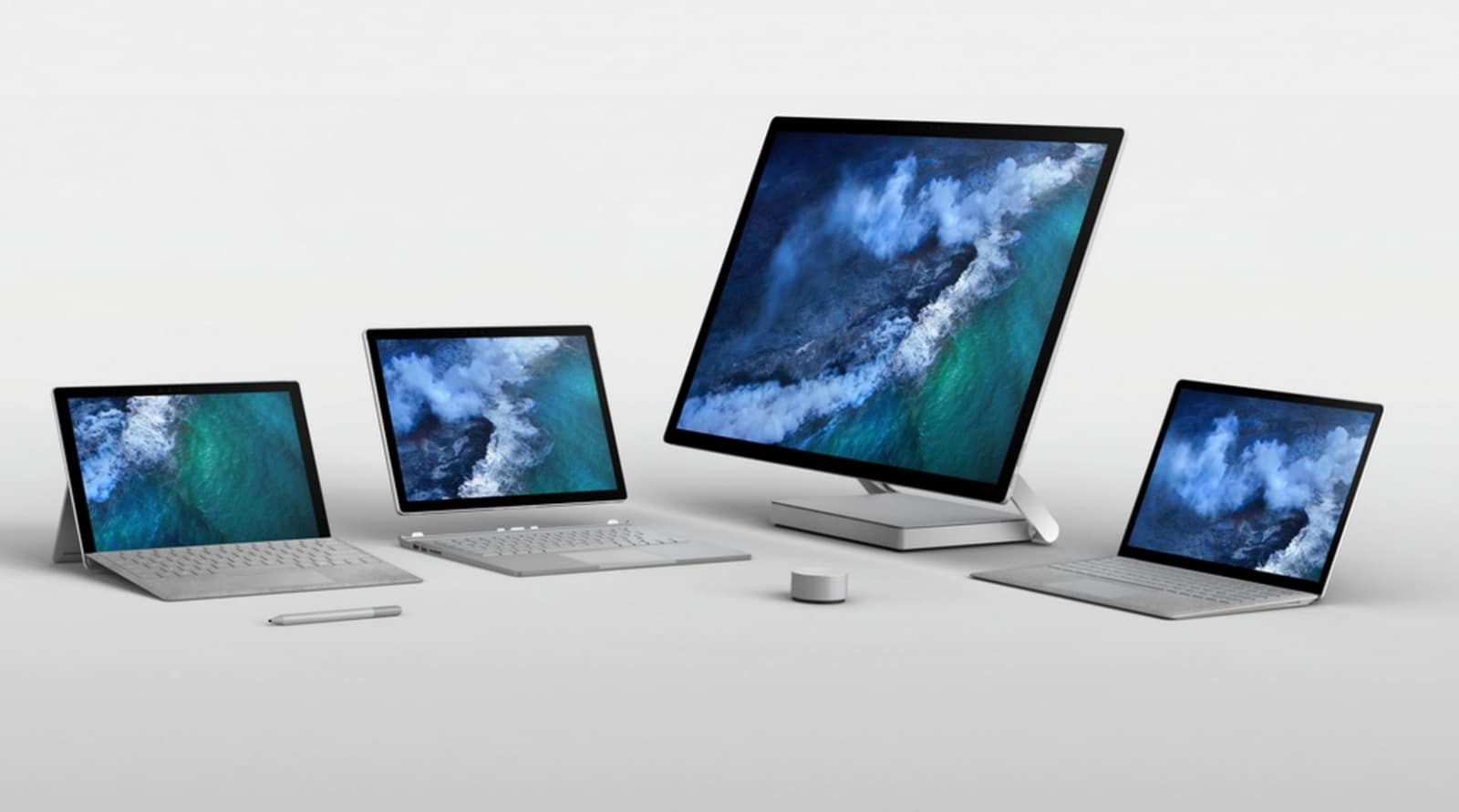
Microsoft hat neue Firmware-Updates für einige ältere Surface Geräte veröffentlicht. Dazu gehören das Surface Pro 5 und Surface Pro 6, sowie der Surface Laptop 1 und 2. Das Update bringt einige Verbesserungen für die Systemstabilität, die Grafikleistung und die Verbindungsstabilität. Nachfolgend findet ihr die Changelog.
Siehe auch: Surface Headphones 2: Lohnt sich ein Upgrade?
Surface Laptop 1
| Intel Corporation – Display – 26.20.100.7639 | Intel(R) HD Graphics – Display adapters | 26.20.100.7639
|
| Surface – Extension – 1914.13.0.1063 | Intel iCLS Client Extension | 1914.13.0.1063
|
| Intel – Software Component – 1.56.87.0 | Intel(R) ICLS Client – Software devices | 1.56.87.0
|
| Intel – System – 1914.12.0.1256 | Intel(R) Management Engine Interface – System | 1914.12.0.1256
|
|
Marvell Semiconductor, Inc. – Bluetooth – 15.68.17018.116 |
Marvell AVASTAR Bluetooth Radio Adapter – Bluetooth | 15.68.17018.116
|
| Marvell Semiconductor, Inc. – Net – 15.68.17018.116 | Marvell AVASTAR Wireless-AC Network Controller | 15.68.17018.116
|
| Surface – System – 5.91.139.0 | Surface Integration Service Device – System devices | 5.91.139.0
|
| Surface – Firmware?- 11.8.70.3626 | Surface ME – Firmware | 11.8.70.3626
|
| Surface – Firmware – 138.3193.768.0 | Surface UEFI – Firmware | 138.3193.768.0
|
Surface Laptop 2
| Intel Corporation – Display – 26.20.100.7637 | Intel(R) HD Graphics – Display adapters | 26.20.100.7637
|
| Surface – Extension – 1914.13.0.1063 | Intel iCLS Client Extension | 1914.13.0.1063
|
| Intel – Software Component – 1.56.87.0 | Intel(R) ICLS Client – Software devices | 1.56.87.0
|
| Intel – System – 1914.12.0.1256 | Intel(R) Management Engine Interface – System | 1914.12.0.1256
|
| Marvell Semiconductor, Inc. – Bluetooth – 15.68.17018.116 | Marvell AVASTAR Bluetooth Radio Adapter – Bluetooth | 15.68.17018.116
|
| Marvell Semiconductor, Inc. – Net – 15.68.17018.116 | Marvell AVASTAR Wireless-AC Network Controller | 15.68.17018.116
|
| Surface – System – 5.91.139.0 | Surface Integration Service Device – System devices | 5.91.139.0
|
| Surface – Firmware?- 11.8.70.3626 | Surface ME – Firmware | 11.8.70.3626
|
| Surface – Firmware – 138.3193.768.0 | Surface UEFI – Firmware | 138.3193.768.0
|
Surface Pro 5
| Intel Corporation – Display – 26.20.100.7639 | Intel(R) HD Graphics – Display adapters | 26.20.100.7639
|
| Surface – Extension – 1914.13.0.1063 | Surface – Extension – 1914.13.0.1063 | 1914.13.0.1063
|
| Intel – Software Component – 1.56.87.0 | Intel(R) ICLS Client – Software devices | 1.56.87.0
|
| Intel – System – 1914.12.0.1256 | Intel(R) Management Engine Interface – System | 1914.12.0.1256
|
| Marvell Semiconductor, Inc. – Bluetooth – 15.68.17018.116 | Marvell AVASTAR Bluetooth Radio Adapter – Bluetooth | 15.68.17018.116
|
| Marvell Semiconductor, Inc. – Net – 15.68.17018.116 | Marvell AVASTAR Wireless-AC Network Controller | 15.68.17018.116
|
| Surface – System – 5.91.139.0 | Surface Integration Service Device – System devices | 5.91.139.0
|
| Surface – Firmware?- 11.8.70.3626 | Surface ME – Firmware | 11.8.70.3626
|
| Surface – Firmware – 235.3192.768.0 | Surface UEFI – Firmware | 235.3192.768.0
|
Surface Pro 6
| Intel Corporation – Display – 26.20.100.7637 | Intel(R) HD Graphics – Display adapters | 26.20.100.7637
|
| Surface – Extension – 1914.13.0.1063 | Intel iCLS Client Extension | 1914.13.0.1063
|
| Intel – Software Component – 1.56.87.0 | Intel(R) ICLS Client – Software devices | 1.56.87.0
|
| Intel – System – 1914.12.0.1256 | Intel(R) Management Engine Interface – System | 1914.12.0.1256
|
| Marvell Semiconductor, Inc. – Bluetooth – 15.68.17018.116 | Marvell AVASTAR Bluetooth Radio Adapter – Bluetooth | 15.68.17018.116
|
| Marvell Semiconductor, Inc. – Net – 15.68.17018.116 | Marvell AVASTAR Wireless-AC Network Controller | 15.68.17018.116
|
| Surface – System – 5.91.139.0 | Surface Integration Service Device – System devices | 5.91.139.0
|
| Surface – Firmware?- 11.8.70.3626 | Surface ME – Firmware | 11.8.70.3626
|
| Surface – Firmware – 235.3192.768.0 | Surface UEFI – Firmware | 235.3192.768.0
|
Die Firmware-Updates für euer Surface werden wie gewohnt in mehreren Wellen über Windows Update verteilt.
Habt ihr euer Firmware-Update bereits erhalten?
via mspoweruser




Habe den Display Driver und die Marvel Sachen jetzt manuell aktualisiert und oh Wunder, Bluetooth läuft jetzt wieder wie geschmiert (Surface Pro 5)!!!
Das höchste der Möglichkeiten bei einem Surface 3 mit Windows 10 Home scheint derzeit die Version 1909 zu sein. Mehr wird mir nicht angeboten.
An einem anderen Gerät (kein Surface) habe ich die neueste Version schon längst.
Hinweis: Das Surface 3 erhält nun auch das Version 2004-FunktionsUpdate für Windows 10. Wurde mir nun zum ersten Mal angeboten, wenn ich auf „Update prüfen“ gegangen war (hatte es sporadisch immer wieder probiert, nachdem ich auf einem HP-PC es schon längst erhalten hatte).